Understanding the workstation goes a long way to making editing easy.
All computer operations can be achieved in several ways, we being human
prefer our own method of doing things,
Video Editing is no different.
Earlier versions of Video Studio did help in a way prompting us as
to what to do first.
Across the top of the program was a series of tabs, Capture, Edit ,
Effects, Overlay, Title, Audio and finally Share.
Follow these tabs and you cannot go far wrong.
Corel have changed the layout of Video Studio, now a series of vertical
icons separate the Preview Screen from the Library panels.
Fortunately the sequence is similar, there are three tabs at the top
Capture, Edit and Share
The vertical icons, Media, Instant Projects, Transitions, Titles, Graphics,
Filters, and Paths.

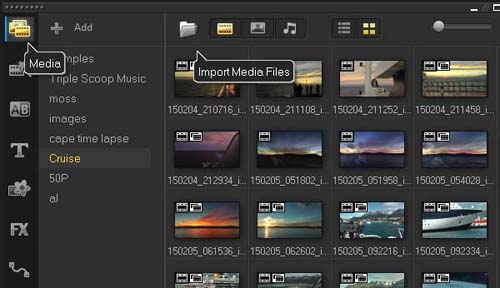
This opens the Media Library, Video, Photo and Audio pages.
The clips are simply thumbnails representing the files on the hard drive.
Clips showing in the libraries can be inserted to the timelines, right click for options or simply drag and drop.
Using the Add function we can create our own library pages, I have created a few here.
I only use the library temporary, for my current projects, I know that some users feel the library is suitable for managing and organising their files, my hard drive folders do that for me.
If I lose my library Icon always import the files again.
Instant Projects.......
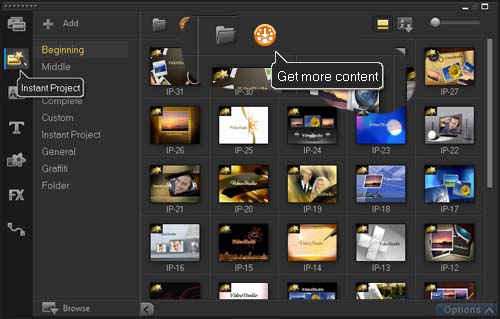
These can be useful by creating an introduction to our project.
There are a lot to use, so have a play, import one to the timeline.
Explore the effects and type of edits applied.
You may find Customise Motion may have been used, a very useful tool.
The Get More Content --the orange disc accesses the Corel Guide where
we can download other templates, most of which are Instant Project Templates
-- far to many to use -- Internet connection required.
Transitions.......
These add an effect between clips, from Preferences (F6) we can set a
default duration, defaults to 1 second, we can set this to a max 999 seconds,
not that we would do that.
Transitions can only be applied to clips having the same or longer duration
as the transition length.
We can manually change any duration from the timeline, double click the
transition to open a panel showing customise options for some types. Otherwise
drag the ends of the transition to re-size.
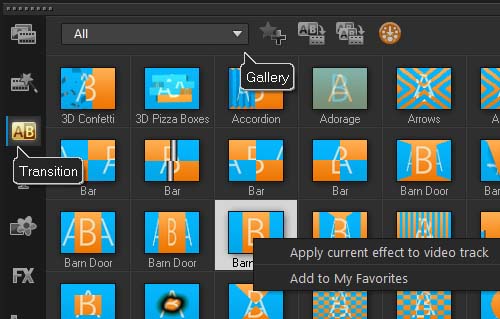
The Gallery accessed from the down arrow is quite extensive, lots to choose
from.
Inserting a transition is done to clips on the timelines, "Drag and
Drop" being used for a single transition.
There are other options.....
Right click a clip gives the option to "Apply Current Effect to Video
track".
Double click any transition will apply the effect to the first clips with
no effect applied.
Finally from Preferences (F6) we can set the transition effects to automatic,
adding clips to the timeline will have the selected transition applied.
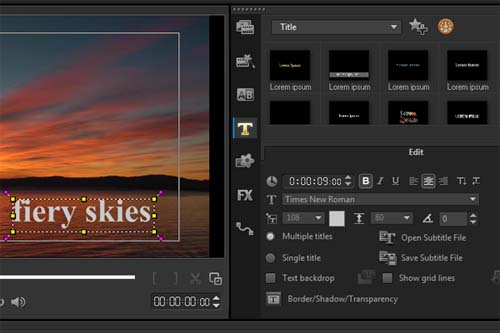
There are two Title Tracks available, one shows by default.
First select the "T" icon to open the Text Library.
the preview screen shows "Double-click here to add a Title".
This opens the Options Panel Text Editor.
We can type in our text, copy and paste can be useful.
There are two tabs within the editor, Choose the Attributes Tab and we
can animate our titles.
- tip - press the two "TT" icon for a manual approach.
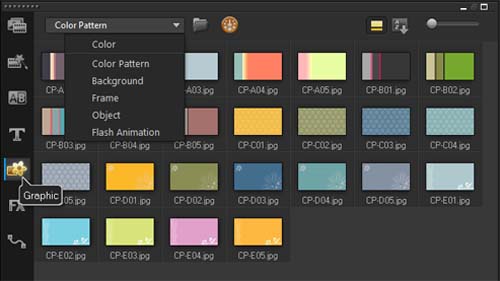
Here the program provides some useful samples used to enhance our projects,
explore the other options from the drop down box.
As the image shows Colour Pattern, Backgrounds, Frames, Objects, and Flash
Animations are available.
To use simply drag and drop the clips to the timelines.
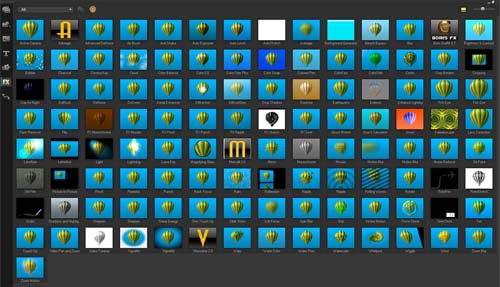
There are approximately 100 filters to choose from, certainly far to many for my needs, I am sure there are some that I have not even tried. This image shows the Ultimate version.
The FX effects are dragged over a clip on the timeline, once applied
a small FX can be seen on the top left of the clip.
Double click the clip and the Options Panel opens, alternatively use the
Options button far right of the library.
For most effects we have the option to Customize the effect
You will notice that there are some duplications, for instance there
are two Vignettes, I believe the first is provided by Corel the second
a NewBlue effect, compare the two type. A lot of options to choose from.
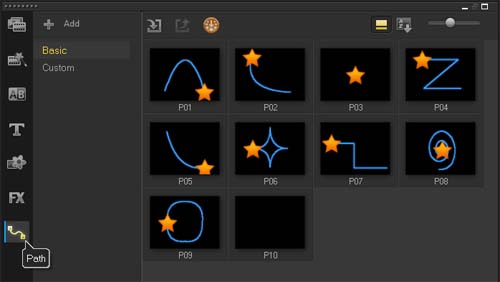
Finally the Path library
To be continued...................